

TL;DR
Boomi provides enterprise iPaaS capabilities for integration teams connecting applications and data across cloud and on-premises environments. Customer-facing product integrations require a multi-tenant architecture that isolates and manages OAuth connections for every customer, provides in-product configuration and tenant-level logs, and keeps connector definitions reviewable in Git.
This guide compares five Boomi alternatives for customer-facing product integrations and explains when Boomi remains the right choice.
Ampersand: Best for deep, per-tenant integrations across CRM, ERP, and GTM systems, with custom objects and fields, sub-second Salesforce and HubSpot events, embedded configuration UI, and declarative YAML manifests managed in Git.
Paragon: Best for teams that prefer building integration logic with visual workflows and giving customers a prebuilt Connect Portal for setup and configuration.
Nango: Best for engineering teams that want provider-specific TypeScript functions in their repository and the option to self-host the integration runtime.
Merge: Best for supporting multiple providers within one integration category through normalized Common Models across HRIS, ATS, CRM, accounting, and ticketing.
Workato: Best for enterprise automation teams that need internal workflows and embedded customer integrations on the same system.
Keep Boomi: Best when EDI, master data management, and hybrid or on-premises connectivity remain core requirements.
Where Boomi Can Be a Mismatch for Customer-Facing Product Integrations
Boomi combines application and data integration, API management, data management, B2B/EDI, and hybrid deployment within one enterprise environment. This breadth supports organizations managing complex internal integrations. Customer-facing product integrations introduce a more specific multi-tenant requirement, with every customer needing a separate connection, credential set, configuration, and support context.
Customer-hosted runtimes add infrastructure work. Boomi deploys integration processes and APIs to managed or customer-hosted runtimes. A basic runtime provides a lightweight Java execution engine, runtime clusters add concurrency and high availability, and private runtime clouds support multiple accounts across several nodes. These deployment options accommodate regulated workloads and systems running behind a firewall. Product teams choosing customer-hosted runtimes must also manage sizing, clustering, failover, shared storage, and ongoing runtime maintenance alongside their integration roadmap.
The build experience centers on graphical process configuration. Integration processes are assembled on a visual canvas using Connect, Execute, and Logic steps, with mappings and other components configured in Boomi. The process canvas works well for integration specialists and operations teams managing workflows through a central interface. Connector logic remains in Boomi by default, which makes the application repository an incomplete source of truth for product engineers who review changes through pull requests, automated tests, and CI/CD.
Pricing depends on the commercial model. Boomi’s annual integration editions use quote-based pricing with connection allowances that vary by tier, and some enterprise connectors cost extra. Boomi also offers a usage-based option that includes unlimited connections and meters processed messages. The public pricing page therefore cannot show how much a customer-facing integration program will cost without accounting for the selected edition, required connectors, runtime deployment, and expected workload.
Multi-tenant usage changes both pricing models. Under an annual subscription, separate customer endpoints may consume additional connection capacity according to the contract. Under usage-based pricing, cost tracks message volume, so charges rise as more tenants generate messages. Product teams need to model customer count, integrations per customer, sync frequency, and message volume to understand how Boomi costs will develop as adoption grows.
Boomi Embedded retains the low-code foundation. Boomi Embedded provides configurable UI components, a headless implementation option, prebuilt connectors and recipes, multi-tenant architecture, and enterprise security certifications. It suits software providers that want customers or integration specialists to configure automations through Boomi’s low-code builder. Product teams shipping a smaller set of deep integrations from code may not need the recipe builder, enterprise runtime options, or commercial structure attached to the broader Boomi environment.
What Customer-Facing Product Integrations Require
Customer-facing product integrations operate as features inside a SaaS product. Each customer authenticates a separate account and configures how data moves between the product and that account. Evaluating a Boomi alternative therefore requires five core capabilities.
Multi-tenant connection management: Every customer needs an isolated connection with its own credentials, permissions, schema configuration, sync state, and errors. A product serving 1,000 customers that use Salesforce must manage 1,000 separate Salesforce connections without exposing one tenant’s data or configuration to another.
Managed OAuth for each customer: The integration infrastructure must securely store credentials, refresh valid tokens, apply the correct scopes, and identify expired or revoked access for the affected tenant. Product and support teams should receive enough context to address authentication failures before they interrupt scheduled syncs or customer workflows.
Embedded configuration UI: Customers should be able to authenticate their accounts, select objects and fields, configure mappings, and update integration settings in-product. Keeping these controls within the product creates a consistent onboarding experience and reduces support requests caused by switching between separate interfaces.
Tenant-level observability: Support engineers need connection status, sync operations, errors, and logs filtered to the affected customer. Aggregate monitoring alone does not provide enough context to identify whether a failure came from expired credentials, provider rate limits, an unsupported field, or a customer-specific configuration.
Version-controlled integration definitions: Connector configuration should move through pull requests, automated tests, staged environments, and CI/CD alongside application code. Version control produces a reviewable history of every integration change and keeps deployments aligned with the product release process.
For a detailed look at schema handling, synchronization, and write operations, see the guide to deep bidirectional CRM and ERP integrations.
5 Best Boomi Alternatives for Customer-Facing Product Integrations
Ampersand
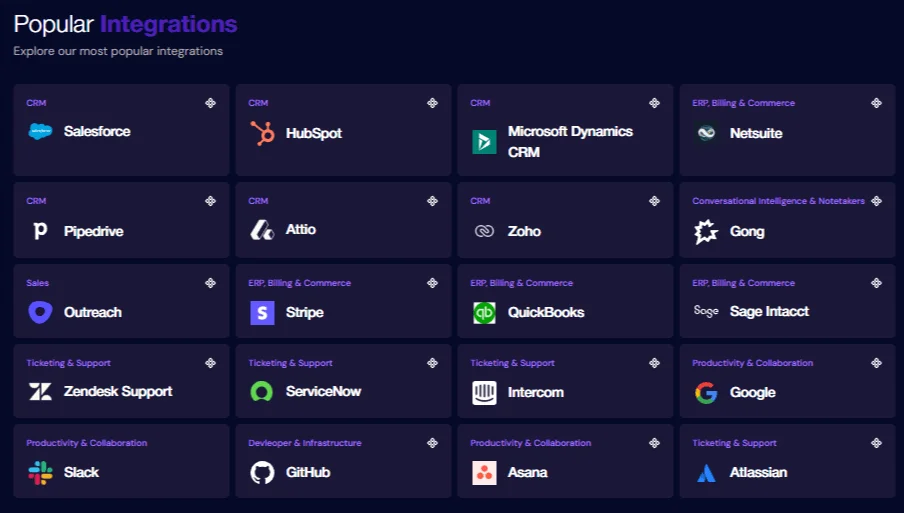
Ampersand provides SaaS product teams with native API access to their customers’ CRM, ERP, billing, support, productivity, and GTM systems through its connector catalog. Engineers specify objects, fields, mappings, actions, and customer-facing configuration in a declarative amp.yaml manifest. The Ampersand CLI and GitHub Actions deploy each revision across development and production environments, so changes remain in Git and follow the same pull-request and CI/CD process as application code.
Each customer installation maintains its own connection, credentials, selected objects and fields, mappings, and sync state. Ampersand manages OAuth and API-key credentials, automatic token refresh, retries, rate limits, error parsing, and sync execution for every tenant. Teams can import existing OAuth credentials and later export them, so a migration proceeds without asking customers to reconnect when the same provider app registration remains in use.
Read Actions handle historical backfills, incremental syncs, filters, and scheduled or on-demand ingestion, while Write Actions create, update, or delete records and Search Actions retrieve filtered records synchronously. For providers that emit them, Subscribe Actions deliver near-instant events, and anything outside the declared objects falls to Proxy Actions, which reach provider-specific endpoints directly. Synchronized data routes to supported webhooks, Amazon Kinesis, or Amazon S3 destinations.
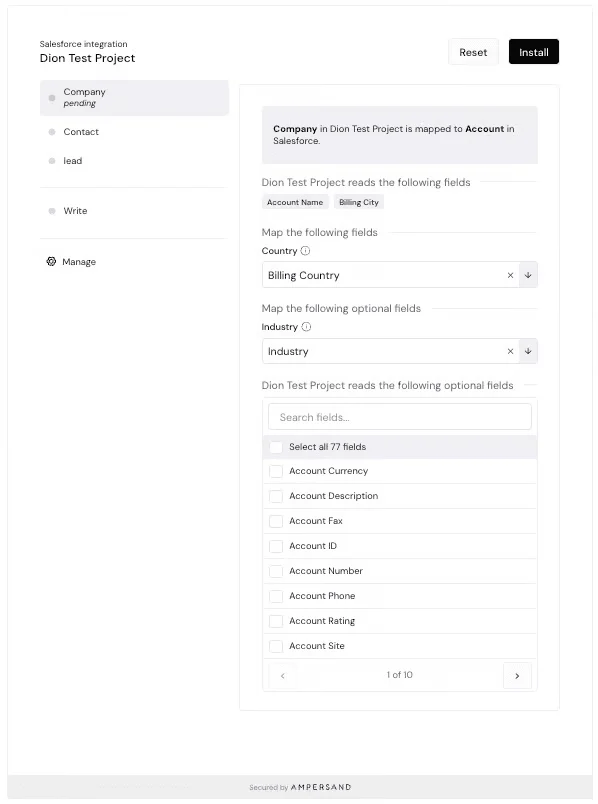
Ampersand preserves each provider’s native schema, including the standard and custom objects and fields available in an individual customer account. Object and field mappings are stored per installation and can be shared across read, write, and subscribe operations. Customers authenticate accounts, select data, and configure mappings inside the product through prebuilt React components or a headless UI library for fully customized interfaces.
Ampersand’s dashboard and APIs expose operation status, results, and logs by customer installation for read, write, and proxy requests. Configurable notifications report connection errors, OAuth refreshes, completed backfills, failed syncs, asynchronous write results, and installation changes. Ampersand’s AI SDK and MCP server also expose connected systems to agents through tenant-scoped tools that retain the correct credentials, permissions, and field mappings. Enterprise deployments can run on-premises, inside a private VPC, or through a bring-your-own-cloud configuration.
Best for
Product and engineering teams building customer-facing integrations across customized enterprise systems, especially when each tenant needs independent authentication and mapping, provider-specific schema access, real-time events, and connector definitions maintained with the application code.
Pros
-
Integration definitions remain reviewable and versioned through YAML manifests, Git, the Ampersand CLI, and CI/CD.
-
Separate installations isolate credentials, configuration, mappings, and sync state for every customer.
-
Managed authentication covers OAuth, API keys, automatic token refresh, and portable credentials for migrations.
-
Native provider access supports standard and custom objects and fields without reducing customer data to fixed common models.
-
Read, Write, Search, Subscribe, and Proxy Actions cover backfills, incremental syncs, record changes, real-time events, filtered queries, and provider-specific API calls.
-
Prebuilt React components and headless hooks embed authentication, object selection, field selection, and mapping inside the product.
-
Customer-level operations, logs, and lifecycle notifications provide the context required to diagnose individual installations.
-
Managed execution handles retries, rate limits, error parsing, scheduling, and data delivery across tenants.
-
The AI SDK and MCP server expose connected customer systems to agents through tenant-scoped tools.
-
Enterprise plans support on-premises, private VPC, and bring-your-own-cloud deployments.
Cons
-
The YAML and CLI workflow assumes that engineers own integration development and deployment.
-
Supported actions and objects vary by provider, so required API coverage should be confirmed before implementation.
Pricing: Free tier (2GB data, 5 customers, unlimited integrations). Catalyst plan at $999/month. Custom plans available for higher volumes. See pricing details.
Paragon
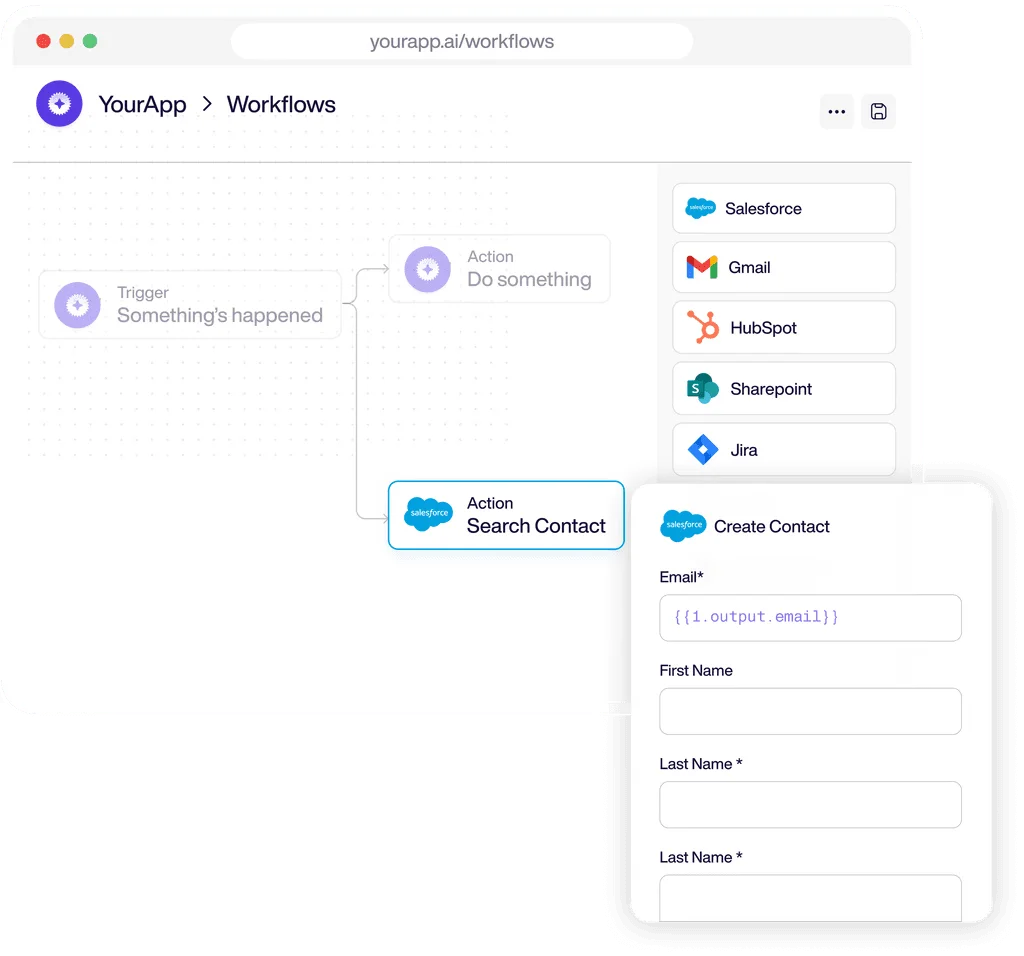
Paragon combines managed authentication, an embeddable Connect Portal, and visual workflows for customer-facing integrations. Customers connect accounts and configure user settings or field mappings through the standard or headless portal, with connector behavior managed through Paragon’s workflow editor. Paragon's workflow editor fits SaaS products where integration specialists or solutions teams own integration logic.
Best For
SaaS teams whose integration specialists or solutions teams build customer-facing workflows through a visual editor and provide customers with an embedded setup portal.
Pros
-
The standard and headless Connect Portal support managed OAuth, token refresh, customer settings, and field mapping.
-
Triggers, actions, conditions, and data movement are all configured in one visual workflow editor.
-
Event Logs make execution details searchable across authentication, workflows, and connected accounts.
Cons
-
Workflow definitions are managed in Paragon’s environment, creating a separate release process for teams that use Git as their application source of truth.
-
Requirements outside the available connectors and actions may need a custom integration.
Pricing: A custom pricing model based on the number of connected users, with a free trial.
Also read: Ampersand vs Paragon: Built for Agents, Code-First vs Polling Delays and Visual Workflows
Nango
Nango provides a code-first runtime for customer-facing integrations, with provider-specific behavior written as TypeScript functions in the application repository. Nango manages authentication, credentials, token refresh, scheduled syncs, actions, external webhooks, execution, and logs. A customizable Connect UI handles customer authorization, and Enterprise deployments can run on customer-managed infrastructure.
Best For
Engineering teams that prefer provider-specific TypeScript functions in their repository and need managed authentication, execution, and an Enterprise self-hosting option.
Pros
-
TypeScript functions remain reviewable and testable in the engineering team’s repository.
-
Managed authentication supports OAuth, API keys, credential storage, token refresh, and branded or headless connection flows.
-
Functions can run on demand, on a schedule, or in response to external webhooks and connection events.
Cons
-
Engineering teams remain responsible for developing and maintaining provider-specific TypeScript logic.
-
Connect UI covers account authorization, so products requiring customer-controlled object selection or field mapping need separate configuration interfaces.
Pricing: Free tier with 10 connections. The paid plan starts at $50/month. Custom enterprise pricing.
Also read: Ampersand vs Nango: A Platform vs An Auth Layer
Merge
Merge exposes multiple integration categories through Unified APIs and normalized Common Models. Merge Link handles customer authentication, after which Merge synchronizes provider data and returns it through consistent category-specific endpoints. Remote Data, Field Mapping, Custom Data, and Authenticated Passthrough extend access beyond the standard Common Models.
Best For
Products that need broad provider coverage within an integration category and can handle most requirements through normalized Common Models.
Pros
-
Common Models normalize object and field structures across providers within each category.
-
Merge Link embeds customer authentication and creates a separate Linked Account for every connection.
-
Supplemental data features support provider-specific fields, custom objects, and direct API requests.
Cons
-
Deep provider-specific implementations may need Remote Data, Field Mapping, Custom Data, or Authenticated Passthrough alongside the Common Models.
-
Recurring synchronization stores normalized customer data on Merge infrastructure, adding another data processor to security and compliance reviews.
Pricing: Free for up to 3 production link accounts. Launch plan at $650 per month for 10 linked accounts, with additional per-account charges. Professional and Enterprise tiers require annual contracts.
Also read: Ampersand vs. Merge: Depth vs Abstraction
Workato
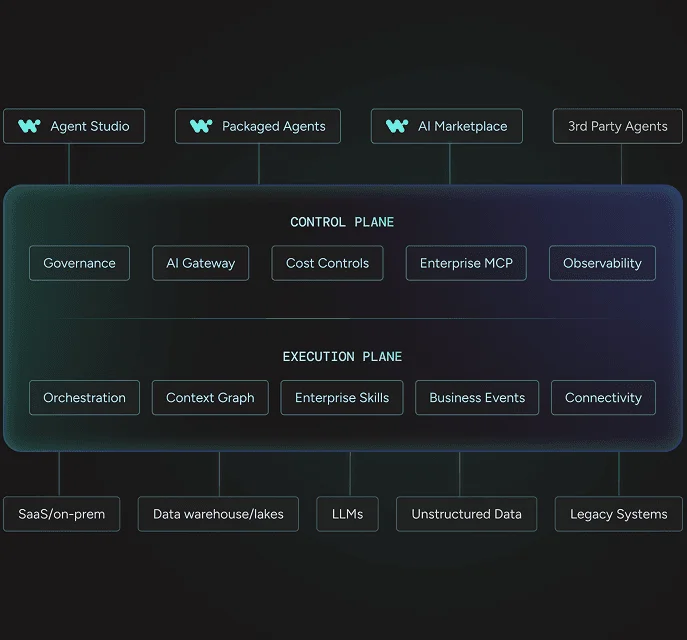
Workato pairs its enterprise automation platform with Workato Embedded for customer-facing integrations. Partners can expose the recipe editor, dashboards, and app connections through full-page embedding or add focused widgets for connections, recipes, and dynamic field mapping. Embedded APIs manage customer workspaces, connections, and recipe lifecycles programmatically.
Best For
Organizations that need internal enterprise automation and customer-facing integrations within the same Workato environment.
Pros
-
The connector and recipe libraries cover a broad range of SaaS applications, databases, and enterprise systems.
-
Full-page and widget embedding cover both self-service and partner-managed integration models.
-
Embedded APIs can provision customer workspaces and create, deploy, start, stop, or update recipes.
Cons
-
Recipes are managed through Workato’s editor, creating a separate release process from the application repository.
-
Full-page and widget experiences use iframes, which limits complete UI control and requires browser settings that permit embedded content.
Pricing: Quote-based enterprise pricing.
Best Boomi alternatives compared (2026)
| Vendor | Per-tenant authentication | Embedded setup and mapping | Custom object and field access | Git-managed definitions | Tenant-level observability | Real-time event delivery |
| Ampersand | ||||||
| Paragon | ⚠️ Varies by connector | ⚠️ Workflows managed separately | ⚠️ Depends on available triggers | |||
| Nango | ⚠️ Embedded authentication only | ⚠️ Depends on provider webhook support | ||||
| Merge | ⚠️ Authentication-first embedded setup | ⚠️ Requires supplemental data features | ⚠️ Depends on sync and webhook behavior | |||
| Workato | ⚠️ Varies by connector | ⚠️ Recipes managed separately | ⚠️ Depends on connector triggers |
Build your first customer-facing integration free with Ampersand →
How to Choose a Boomi Alternative
Start with the workload that creates most of the integration complexity and the team responsible for maintaining it.
Choose Ampersand when customer-facing integrations are part of the product and must support tenant-isolated connections, custom objects and fields, embedded configuration, real-time events, and integration definitions managed through Git.
Choose Paragon when a solutions team needs to build and operate customer-facing workflows through a visual editor, with a hosted portal for authentication and field mapping.
Choose Nango when engineers want to maintain provider-specific integration logic in TypeScript and need a self-hosting path.
Choose Merge when the product needs broad category coverage through normalized models and its required data stays within those models.
Choose Workato when customer-facing integrations share infrastructure with internal automation and the primary requirements include enterprise workflows, on-premises systems, or broad connector coverage.
Keep Boomi when EDI, master data management, and hybrid ERP connectivity remain central and customer-facing integrations are a secondary workload.
When several options cover the required connectors, use ownership as the deciding factor. Ampersand is the strongest choice when engineering ships and maintains customer-facing integrations as product functionality.
How to Plan a Zero-Downtime Migration From Boomi
A zero-downtime migration from an embedded iPaaS to native product integrations requires separate stages for credential transfer, read validation, and write cutover. This sequence limits customer disruption and preserves a clear rollback path.
Step 1. Inventory every customer connection
Record each tenant, provider, granted OAuth scope, refresh-token state, provider app registration, selected objects, field mappings, and current sync cursor. Resolve any missing credentials or configuration details before moving the first customer cohort.
Step 2. Import credentials before moving traffic
If your company owns the OAuth application, create the Ampersand connection with the existing refresh token before moving traffic so customers can retain their authorization. The token must remain valid and associated with the same OAuth application.
Step 3. Run both systems in parallel with one writer
Run read syncs through Ampersand and Boomi across one complete sync cycle. Compare record counts, field values, mapping output, incremental updates, and deletions, but keep writes on Boomi until the results match to prevent duplicate or conflicting changes.
Step 4. Cut over by customer cohort
Move a small design-partner group first, then monitor reads, writes, token refreshes, and event delivery before expanding to the next cohort. Keep the Boomi path available for rollback until every customer remains stable after the write cutover.
*Also Read:*
Embedded iPaaS platforms and when they fall short
The 8 best embedded iPaaS providers
FAQs: Boomi Alternatives for Customer-Facing Product Integrations (2026)
Is Boomi an embedded iPaaS?
Boomi offers an embedded product through Boomi Embedded. Software providers can surface integrations, connections, schedules, and mapping inside their applications through configurable UI components or a headless implementation, with execution handled by the Boomi Enterprise Platform.
What does Boomi cost per connection?
Boomi offers subscription and usage-based pricing, but does not publish a standard price for each customer connection. The final cost depends on the selected edition, connector types, deployment requirements, and usage. Request a quote based on projected customer connections and data volume so the estimate reflects how the integration footprint will grow.
Should I choose Boomi or Ampersand for product integrations?
Choose Boomi when a central integration or IT team owns shared processes across internal systems. Choose Ampersand when product engineers ship customer-facing integrations through the same code review and release process as the application, with each customer's authentication, configuration, and logs attached to its own installation. Many companies run both, keeping Boomi for EDI and internal data movement while product integrations move to Ampersand.
Can I migrate OAuth tokens off my old connector stack without forcing customers to reauthorize?
OAuth tokens can move when your company owns the provider-side OAuth application and the token remains valid. Tokens issued under a former vendor’s client ID cannot be reassigned. Ampersand accepts existing refresh tokens when creating a connection, so supported OAuth connections can move without another authorization prompt.
How do I run a zero-downtime cutover off Boomi?
Define validation and rollback criteria before cutover. During shadow reads, compare record counts, mapped fields, deletions, backfills, and webhook events. Use idempotency keys or downstream deduplication to protect writes, and roll back a customer cohort if token refresh, delivery latency, or error rates exceed the agreed thresholds.
What should replace Boomi for customer-facing connectors?
The right replacement depends on who consumes the connector. Internal pipelines generally need enterprise orchestration, hybrid runtimes, and centralized governance. Customer-facing connectors require tenant-isolated authentication, embedded configuration, custom schema access, and installation-level observability. Ampersand brings those product-integration requirements into one integration layer.
Can my customers configure their own field mappings inside my product?
Ampersand’s React components let each customer select read and write objects, configure fields, and complete field mappings inside your application. The resulting configuration is stored under that customer’s installation. Headless hooks support the same setup flow through a custom interface.